Why can't I see my files and projects?
Last updated: May 15, 2025
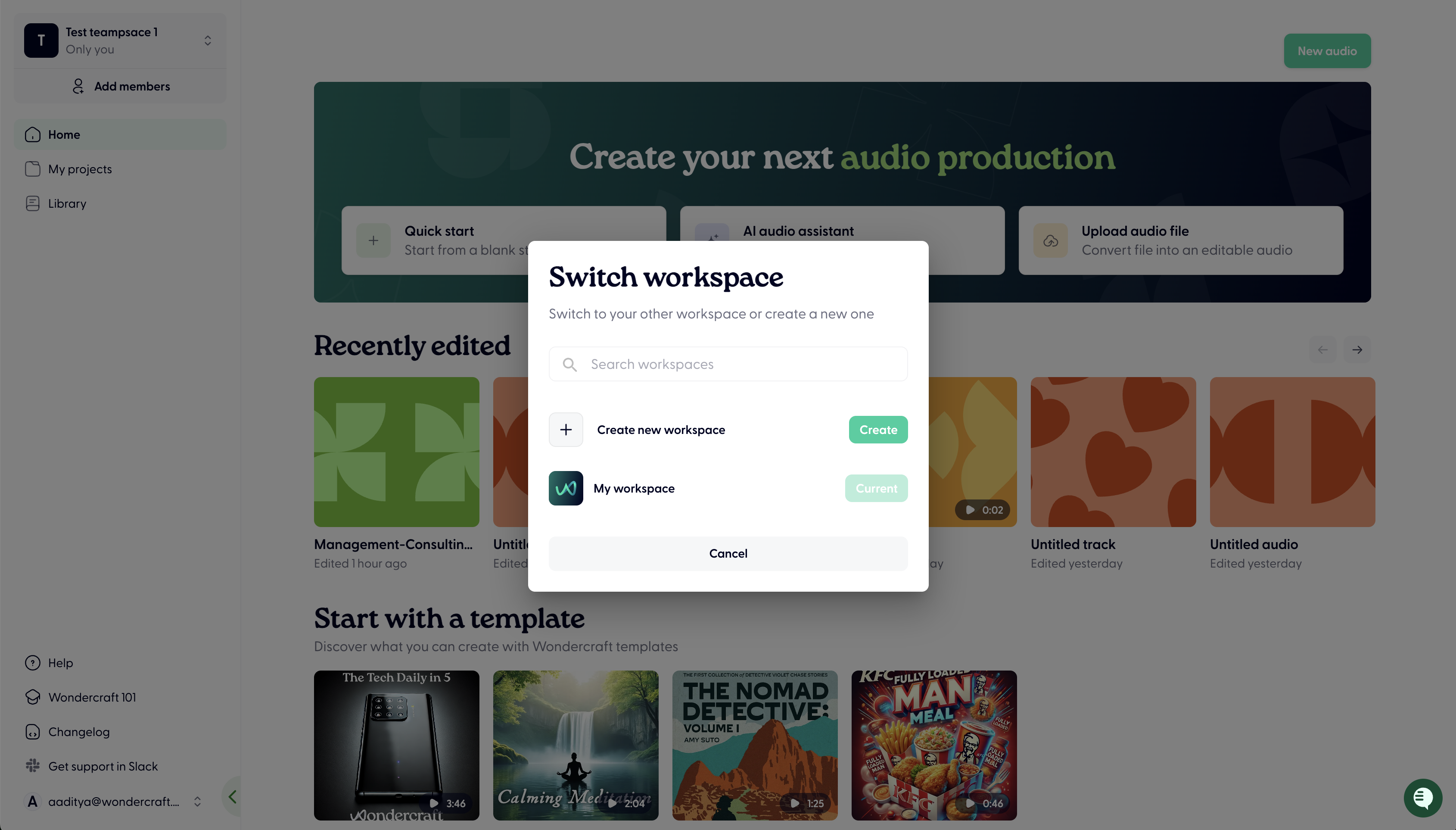
You may be in the wrong workspace:
Each Wondercraft subscription is tied to a unique Workspace
If you're working within a Team on Wondercraft, it's likely you will have multiple workspaces - a team one, and a personal one
Usually the paid subscription will be tied to one of these Workspaces (typically the shared Workspace with your team)
To find the Workspace you're in or switch, click on your user email on the bottom left and click Switch Workspace.
You may be in the wrong teamspace:
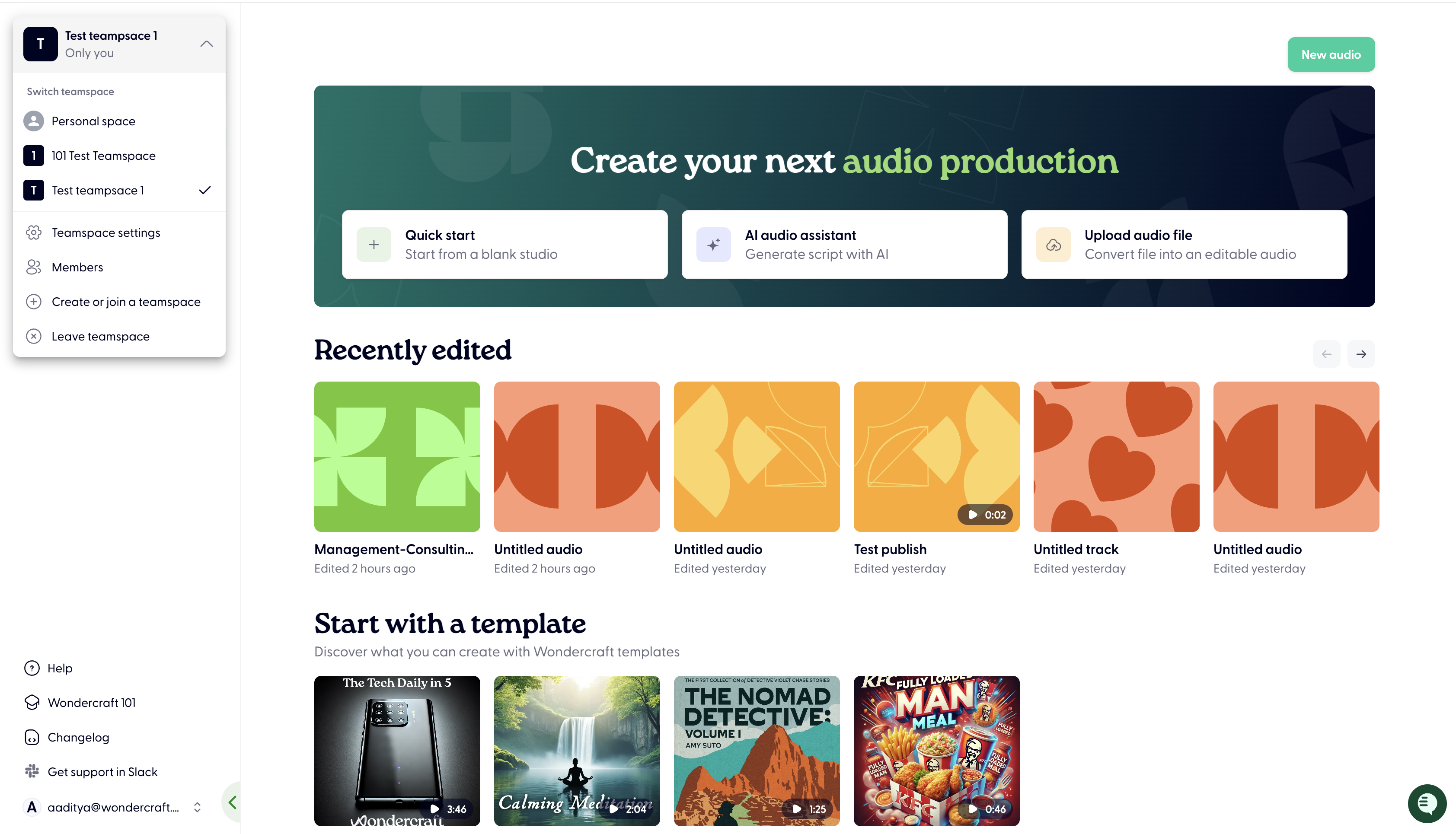
Within a Workspace, there may be one or multiple Teamspaces
A Teamspace is designed to help you coordinate access for different team members to certain files and tracks
If you are not seeing certain files that you made or are expecting to see, you might be in a different Teamspace
To check what Teamspace you are in and to change Teamspace, toggle the button on the top left of the screen:
For any other reason, get in touch with us (support chat in the bottom right bubble) or contact support@wondercraft.ai
Want a more personalized tour of the platform? Sign up to our Weekly onboarding session with our Founder & CEO Dimi. Groups are kept small, so you can ask any specific questions.
Book your spot now here, spaces are limited!